After Contemporary Songwriting with Ableton Live and GarageBand, Third Edition went to press, Apple released new versions of MainStage and Logic Pro. With these new versions, the process for downloading loops in MainStage or Logic Pro and using them in GarageBand changed, rendering the “Installing MainStage or Logic Pro Sounds (Optional)” section of the “Apple’s GarageBand for Mac” chapter of the book outdated. The following rewrite of the “Installing MainStage or Logic Pro Sounds (Optional)” section should replace it. (Note: this information is current as of GarageBand for Mac 10.4.14, Logic Pro 12.2, and MainStage 4.2.)
Installing MainStage or Logic Pro Sounds (Optional)
In MainStage and Logic Pro, downloading and installing sounds is a bit more complicated.
(Note that when you initially install Logic Pro, you might be prompted to install Session Player Instruments—you can opt out of this.)
In MainStage or Logic Pro, first, you open the Sound Library, as follows:
In MainStage, choose MainStage > Sound Library…
In Logic Pro, choose Logic Pro X > Sound Library…
The Sound Library window opens. Click on the Manage Packs button in the upper-left corner of the window.
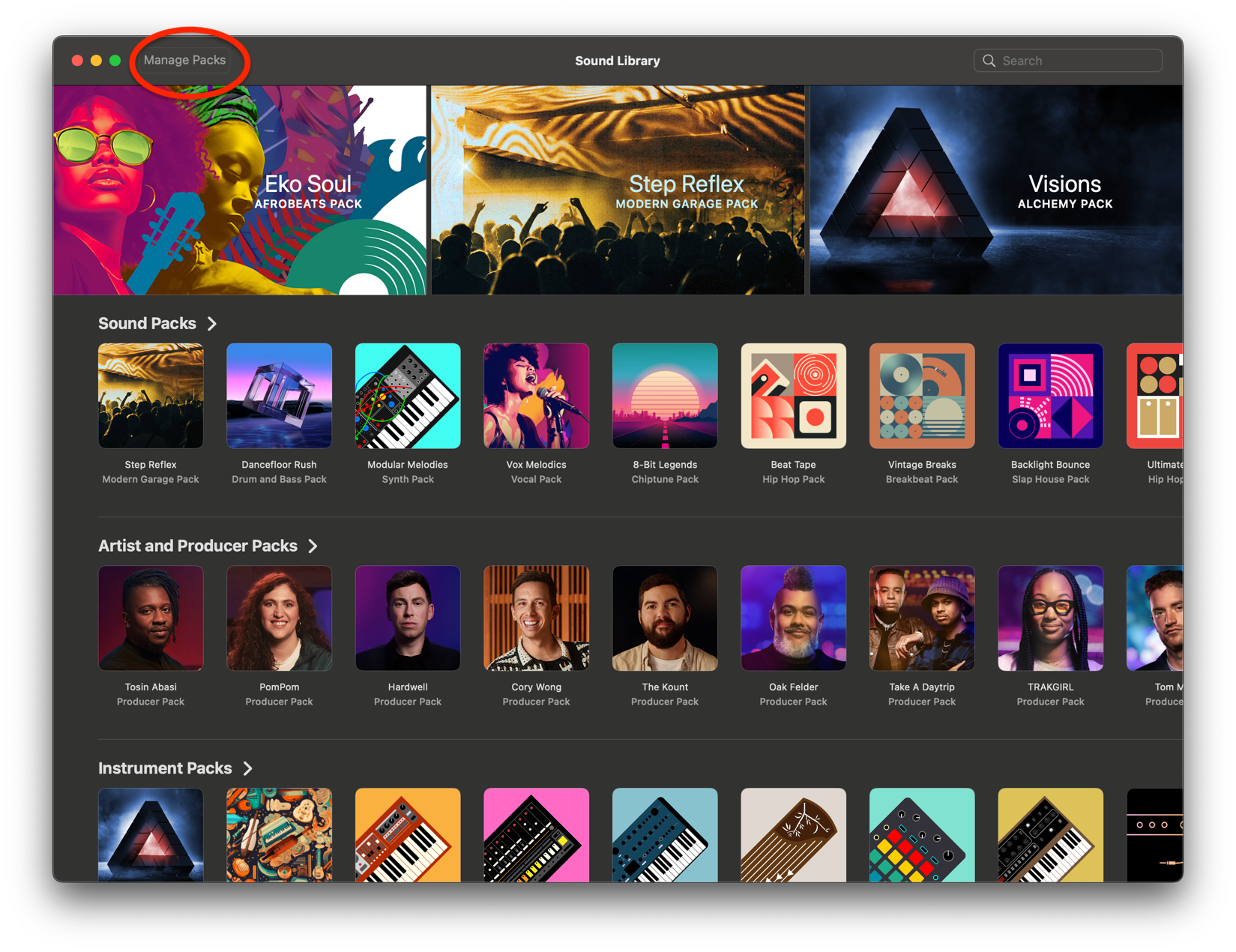
The Manage Packs overlay panel appears.
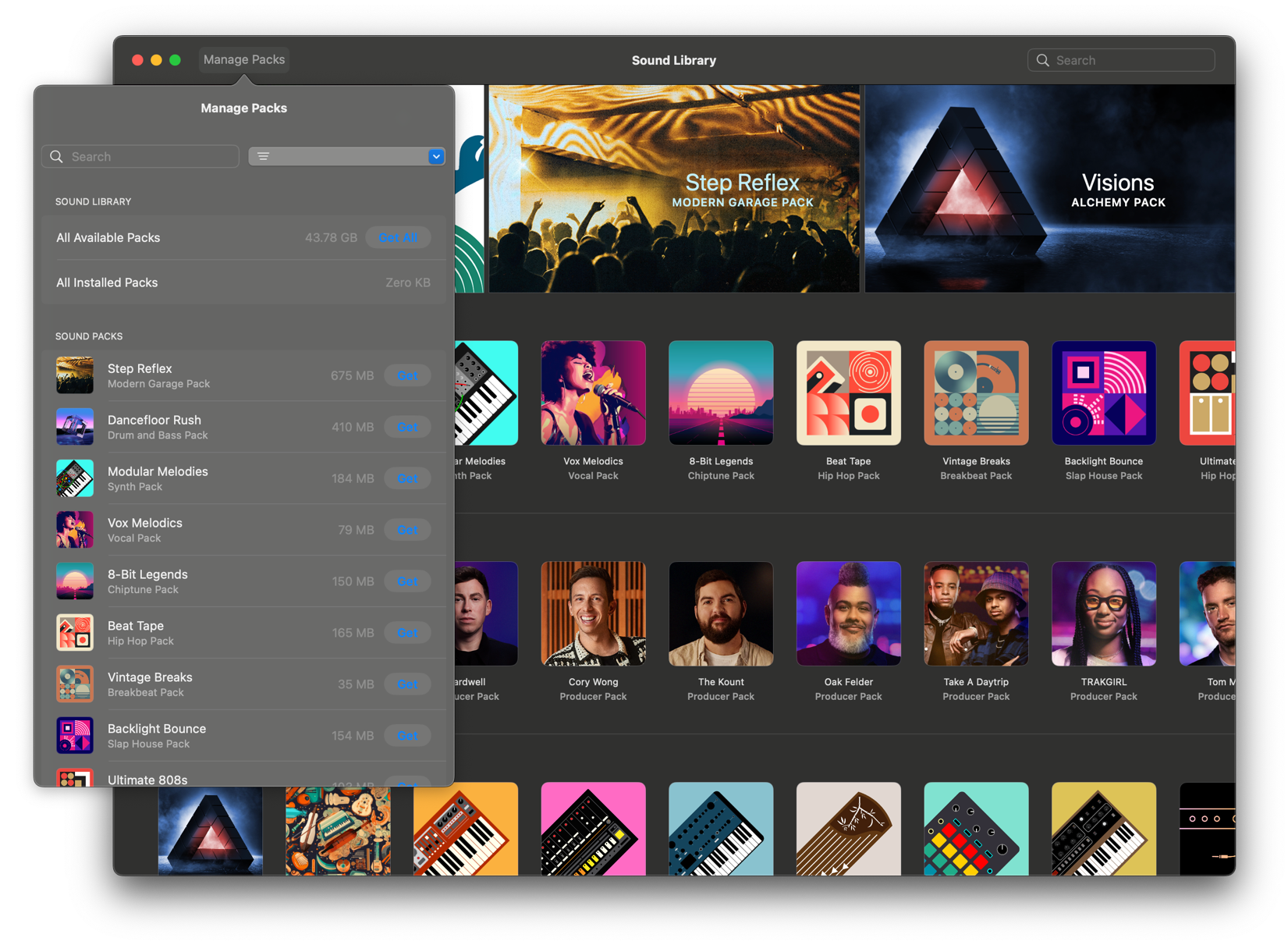
Scroll down to the ESSENTIAL AND COMPATIBILITY PACKS section of the Manage Packs overlay panel, then click on “Get” for the following packs: GarageBand 11 Legacy, and all Jam Packs. When the downloads are finished, the Get button for each pack will have changed to a Delete button.
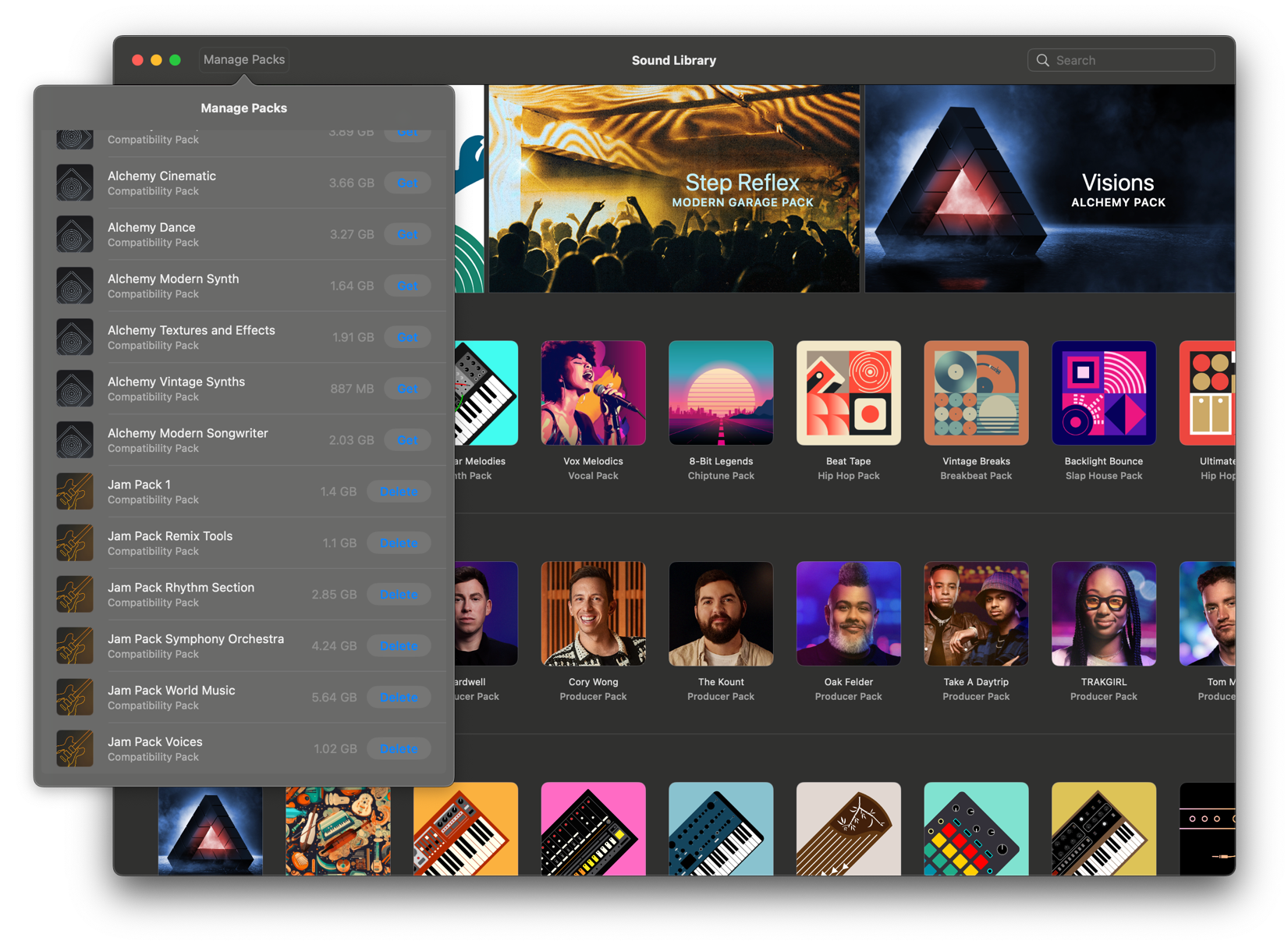
Close MainStage or Logic Pro.
MainStage and Logic Pro store loops in a different file location than GarageBand. To copy the loops from the MainStage / Logic Pro location to the GarageBand location, download and run an app that has been custom-made for this purpose and is available online.
Note that later, when working with GarageBand, it may request that you download additional content:
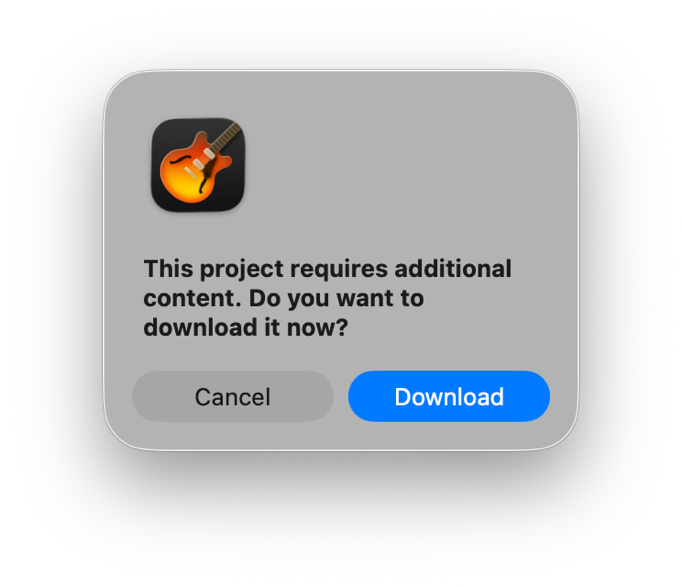
When this happens, simply click on “Download” and proceed.